Key conclusions
Select RFID jewelry tags for the actual items, attachment method and counter workflow. Compare samples against verified item and tray lists, check links to item, certificate and inventory records, then use removal, return and retagging results to agree on acceptance criteria.
What to check before purchasing
- Test samples with the final attachment on metal jewelry, dense trays and adjacent counters.
- Distinguish a style or SKU from each individual item, and verify identifiers and system mapping.
- Validate removal, replacement in the tray, sales returns and retagging, keeping reproducible acceptance records.
Build verified item and tray lists
Select representative rings, bracelets, necklaces and other real items. Record each item's form, material, packaging, existing identifier and tray location. Verify the list manually as the expected result for inventory counts and stock movement tests, rather than using the reader's first count as the baseline.
Separate whole-tray inventory, individual item checks and stock handovers. Specify which items should appear in each operation and which neighboring trays should be excluded. Record normal displays and densely packed storage conditions, including samples that may be harder to read.
- Create traceable identifiers and photographs for samples and trays.
- Record the expected item list and business status for each test action.
- Cover different item forms, packaging and actual display densities.
Check dimensions and attachment on real items
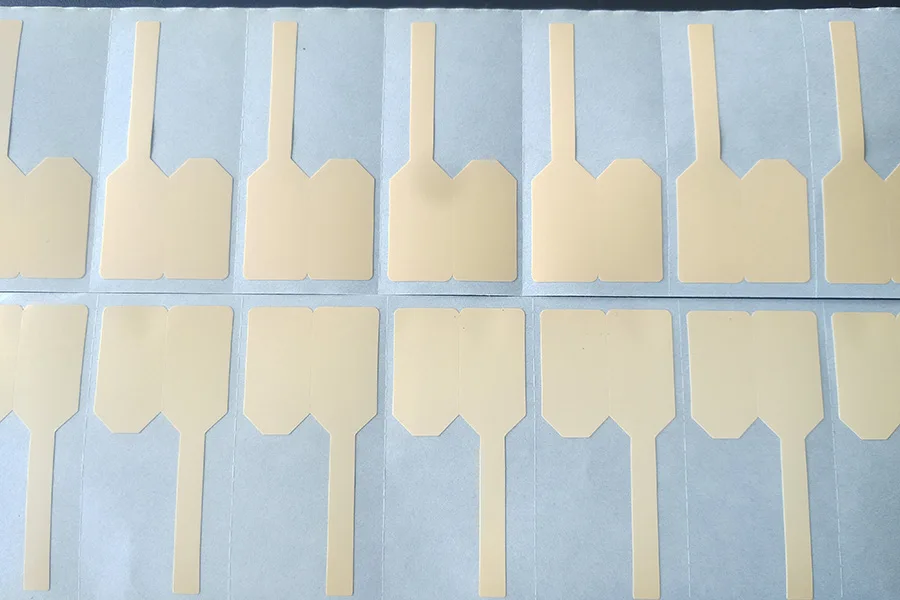
Provide permitted tag dimensions, visible information and attachment positions. Explain whether a tag could obscure the item, touch gemstones or interfere with handling and packaging. Compare ties, loops or other permitted methods for candidate designs; ask the supplier to confirm available structures and dimensions, then assess the display on real items.
Use the candidate tag's structural drawing to confirm attachment points and areas that may be bent. Avoid damaging the antenna through tightening, cutting, punching or folding. After attachment, check the item's surface, tag condition and actual reading performance. Results from a loose tag do not establish performance on the tagged item.
- Keep photographs of attachment positions, dimensions and the complete installation.
- Check whether the tag interferes with display, removal, replacement in the tray or packaging.
- Compare samples again after changing the attachment method or tag structure.
Compare samples on metal jewelry and dense counters
GS1 explains that metal affects RFID operation; actual performance depends on the tag and application conditions. Test candidate samples with real jewelry, counter materials and trays. Record results for individual items, full trays and neighboring trays separately. The name ‘jewelry tag’ alone does not establish suitability for use near metal.
GS1 TIPP test configurations address tagged items and conditions such as placement and orientation. For procurement comparisons at the counter, also record attachment position, item orientation, reader model and settings. Check missed items, duplicate records and reads outside the intended area. These records do not establish TIPP certification or a performance grade.
- Compare candidate samples with the same equipment and settings, recording differences.
- Use a manually verified list to identify missing and unexpected items.
- Cover actual tray spacing, tag orientation and handling positions.
Link each item identifier to certificate and inventory records
One SKU or style may represent several pieces of jewelry, so individual checks must distinguish each instance. GS1 distinguishes a base product's GTIN from an individual identifier that includes a serial number. A project may retain internal identifiers or use suitable GS1 rules. Confirm format, uniqueness and import procedures with the inventory software first.
Create a mapping between electronic identifiers, visible numbers, item records and certificate records. Read the sample identifiers back and check the records retrieved by the system. Identifiers can link to certificates, prices and appraisal information held in business software. Do not assume all of this data must be stored on the tag, or that reading an identifier completes an inventory update.
- Distinguish a style or SKU number from each item's unique identifier.
- Check that electronic identifiers, printed numbers and system records match.
- Agree how to handle duplicate codes, unmatched identifiers and incorrect item links.
Validate removal, replacement, returns and retagging
Remove, transfer and replace individual items using the actual counter workflow. Check changes in item location and inventory status. Include neighboring trays, incomplete handovers and unexpected reads. Specify which action triggers a business update and which is only a check. Theft prevention requires separate validation of the complete system.
For customer returns, damaged tags or replacement tags, check the physical item against its original record first. Then handle the old identifier and link the new one according to approved rules. Test old and new tags appearing together, old tags that remain readable and returns of items with the same style. Confirm that these situations do not create duplicate inventory or incorrect certificate links.
- Keep individual item status records before and after removal, replacement and handover.
- Process returns by individual item identity, in addition to checking the style or SKU.
- After retagging, check the old identifier, new identifier mapping and operation history.
Turn sample results into acceptance and quotation requirements
Use the same item list to assess appearance after attachment, reading results, printed codes and system mapping. Record equipment, placement, operating steps and exceptions. Both parties should agree on pilot quantities, permitted exceptions and retesting. Retain the approved tag structure and sample version as the basis for delivery.
Include representative item and tray photographs, size and attachment constraints, equipment details, encoding examples and sample test records in your enquiry. State sample needs and anticipated order requirements separately. Confirm candidate models, available structures, MOQ, lead time and quotation scope against these conditions, and list unresolved project questions separately.
- Agree acceptance criteria using reproducible steps and an item list.
- Confirm the delivery version for printing, electronic identifiers and item mapping.
- Specify changes in tag structure, equipment or workflow that require another review.
Sources
Frequently asked questions
Are RFID jewelry tags automatically suitable for metal items?
Do not assume this. Check the candidate tag's structure and model documentation, then compare samples on real metal jewelry at the intended attachment position and in dense counter displays. Record missed items, reads outside the intended area and other results.
Does a unique identifier for each jewelry item have to use GS1 encoding?
Not necessarily. Use internal item identifiers or a suitable GS1 scheme according to the inventory software and business rules. Distinguish the style or SKU from individual item identity, and confirm uniqueness, data format and item mapping. If using GS1, check the applicable identifier structure.
Must jewelry certificates and prices be written to the RFID tag?
That is not a default requirement. An electronic identifier can usually link to item, certificate and price records in business software. Confirm whether other data needs to be written based on the specific tag capacity, equipment and business requirements. Appearance alone does not establish these capabilities.
What should be checked for returns and retagging?
Verify the physical item's individual identity against its original record, then check handling of the old identifier, mapping of the new identifier and inventory updates. Include returns of the same style, old and new tags appearing together and old tags that remain readable in sample testing to prevent duplicate inventory and incorrect certificate links.